
What we mean by Most Played on btn4d
Our Most Played category tracks the real-time popularity of every game and market on btn4d. We measure this by the number of active players, the total bet volume per round, and the frequency with which new rounds or tables fill. This ranking updates every few minutes, so the games you see at the top reflect genuine player demand, not our promotional choices. When you open our app, the Most Played section appears as a filtered view of all available games, sorted by current player count.
In practice, this means you'll consistently find Liga 1 matches, Piala AFF tournaments, and Championship League fixtures prominently displayed during match schedules. You'll also see Aviator, Sweet Bonanza, Gates of Olympus, and Fortune Tiger slots rotating near the top whenever they're actively being played. Our live-dealer tables—especially blackjack and baccarat—maintain steady presence in the Most Played list around the clock, since these tables operate 24/7.
The benefit of browsing Most Played on btn4d is that you get matchmaking speed. Instead of hunting for a table with available seats, you join a game that's already running with multiple active players. This reduces wait time and increases the dynamic feel of gameplay, especially on live tables and sports betting markets.
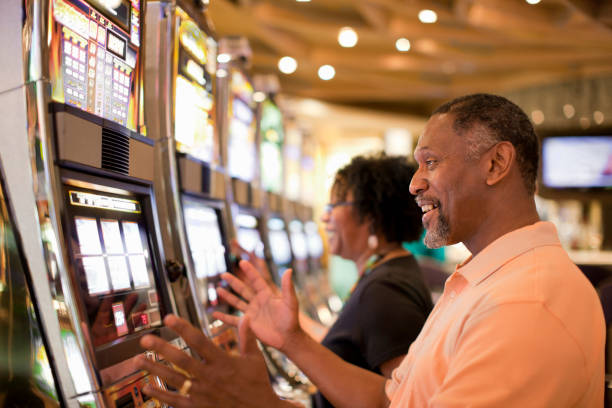
Most Played games and sports on btn4d
Our Most Played list typically includes five core categories: live football, live casino tables, slot games, esports markets, and specialty games. Live football covers Liga 1 matches, Piala AFF tournaments, Champions League fixtures, and Premier League games when they're in season. During major tournaments like Idul Fitri holiday periods, we see heightened activity on all football markets. Our live casino tables (blackjack, baccarat, roulette, Dragon Tiger) run continuously, with player count fluctuating based on time of day and region—peak hours in Jakarta and Surabaya typically show the highest table occupancy.
Slot games on btn4d that appear frequently in Most Played include Aviator (a prediction-based game with high volatility), Sweet Bonanza (a traditional fruit-based slot), Gates of Olympus (a mythology-themed game), Fortune Tiger (a tiger-themed variant), and Mahjong Ways (a tile-matching game). These titles rotate on our Most Played carousel based on real-time player activity. Esports markets covering Mobile Legends, Free Fire, and PUBG Mobile competitions also appear in Most Played during tournament schedules. Our specialty games—Dragon Tiger, Caishen Wins, Lucky Twins—fill the remaining slots.
- Update frequency
- Our Most Played rankings refresh every subject to verification, reflecting changes in active player count and bet volume across all games and markets.
- Access on mobile
- On btn4d's Android app or iOS Safari, tap the Most Played section from the main menu to see the live-ranked list. Join any game directly from this view.
- Availability
- All Most Played games are available to verified btn4d accounts with a funded balance. Your KYC status and deposit confirmation must be completed first.
Navigating Most Played on mobile devices
On our btn4d Android app, open the home screen and look for the Most Played section in the main menu. Tap it to see the live-ranked list of games. Each entry shows the game name, current player count, and an action button (Join / Play / Bet). Tap any entry to load that game or market. The app caches the Most Played list locally, so even if your connection is slow, you can browse the list and join a game once your connection stabilises.
On iOS via Safari or Chrome, navigate to btn4d's home page, scroll to the Most Played section, and tap any game to launch it. Our responsive design adapts the layout for iPhone screens—the list displays vertically, with each game entry spanning the full width. You can save btn4d as a home-screen shortcut on iOS by tapping Share in Safari, then Add to Home Screen; this creates an icon that opens our site in full-screen mode, mimicking a native app experience.
Your account session persists across devices. If you log in on your phone, you stay logged in across browsers and the Android app simultaneously (as long as you use the same login credentials). This means your account balance, transaction history, and active bets sync in real time, whether you're on mobile or desktop. Push notifications on Android alert you when high-volume games open up or when significant events (like a goal in Liga 1 or a tournament round conclusion) occur.

Account setup and payment on btn4d
Before you can join games on btn4d's Most Played list, your account must be verified. Our registration starts with email confirmation, then proceeds to KYC document upload. We request a government-issued ID (passport, national identity card, or driver's licence) and proof of address (utility bill, bank statement, or rental agreement from the past three months). Our automated verification system scans these documents, and our compliance team reviews any unclear submissions manually. Verification typically completes within one business day.
Once verified, you can deposit funds via five payment methods: DANA, e-wallet, mobile banking, local payment, and online payment (all instant), or direct bank transfer to our partner virtual accounts (e-wallet, mobile banking, local payment, online payment). Deposits settle within minutes for e-wallet transfers, and subject to verification for bank transfers during business hours. We do not charge deposit fees, and our minimum deposit is set at an accessible threshold to welcome new players.
Withdrawals on btn4d follow a standard review window. We verify your request against your account history and KYC records to ensure compliance. Processing times depend on your bank or e-wallet provider—e-wallet withdrawals are often faster than bank transfers. We communicate your withdrawal status via email and your account dashboard throughout the process. Large withdrawals may require additional documentation as part of our anti-money-laundering checks.
Data usage and mobile performance
Browsing btn4d's Most Played list consumes minimal data—typically under 1 MB per session. Joining a live football market or esports match requires a steady connection but moderate bandwidth (2–5 MB per hour depending on stream quality). Our app automatically adjusts video quality based on your network speed. If you're on slower 4G or in areas with spotty coverage near Bandung or Medan, we reduce bitrate to maintain smooth playback without buffering.
Slot games like Aviator and Sweet Bonanza use less bandwidth than live video streams—roughly 0.5–1 MB per hour. Live casino tables with video streams consume 3–8 MB per hour depending on the quality setting. Our low-data mode (available in settings) reduces all bandwidth consumption by 50–60 percent by limiting video resolution and disabling background imagery. We cache your Most Played history and recent game data locally on your phone, so the app remains responsive even on slower connections.
Battery drain during gameplay averages 15–non-specific info per hour, depending on screen e-walletghtness and game type. We recommend plugging in your device during extended play, or lowering screen mobile bankingghtness to extend battery life. Our app size is under 200 MB and updates automatically when security patches or new features are released. If you're on a capped mobile data plan, enable low-data mode and monitor your session duration to stay within your allowance.
Most Played benefits
- Real-time rankings based on actual player demand
- Faster matchmaking and shorter wait times for games
- Discover popular games without browsing the full catalogue
Important considerations
- High player volume can lead to slower payouts during peak hours
- Live sports markets depend on match schedules and tournament calendars
- Some Most Played games rotate hourly; your favourite may not always be available
Support and account help
Our btn4d support team is available to answer questions about account setup, verification status, deposit methods, withdrawal timelines, and gameplay rules. You can reach us via email, in-app chat during peak hours, or our help centre FAQ. We respond to non-urgent inquiries within one business day. For account recovery—if you've lost access or forgotten your password—we verify your identity using the email and phone number on your registration, then send a secure password reset link.
We staff our team with multilingual agents, so language barriers should not prevent you from getting help. If you have questions about Most Played games, how to navigate the mobile app, or how to manage your account on the move, reach out to our support team.